
1
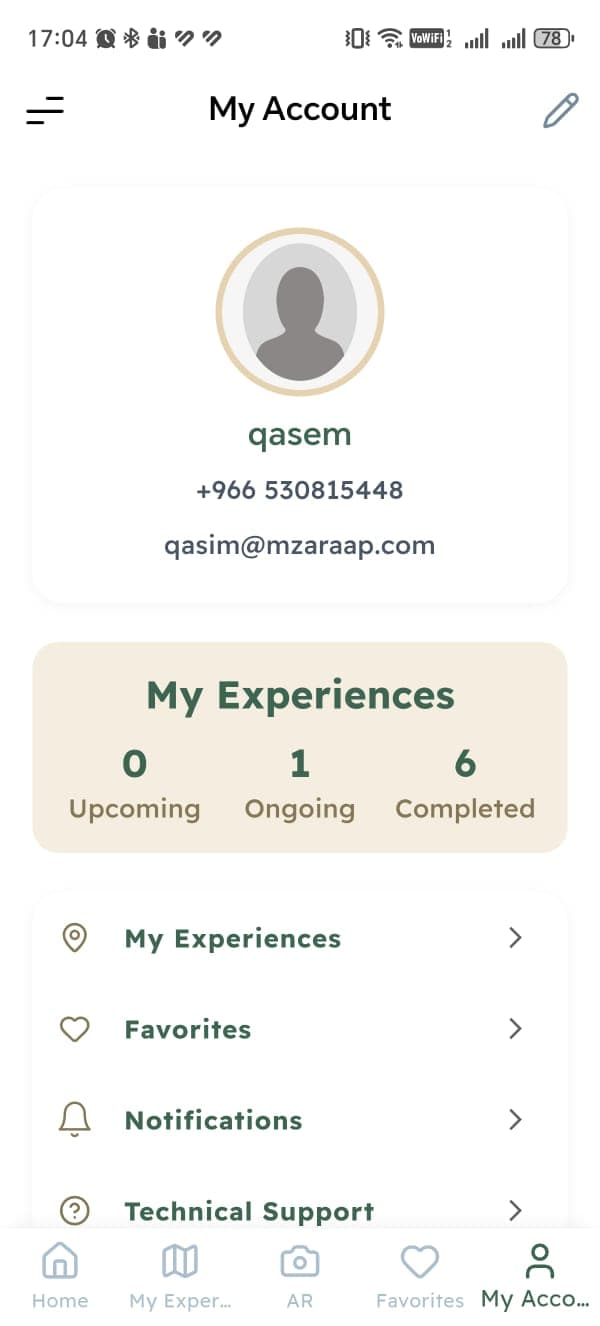
Open My Account
Sign in to the Mzar app, open My Account from the navigation bar, then tap the edit icon.

You can delete your Mzar account and associated data at any time.
Follow these three steps in the Mzar app. You must be signed in to the account you want to delete.
Sign in to the Mzar app, open My Account from the navigation bar, then tap the edit icon.
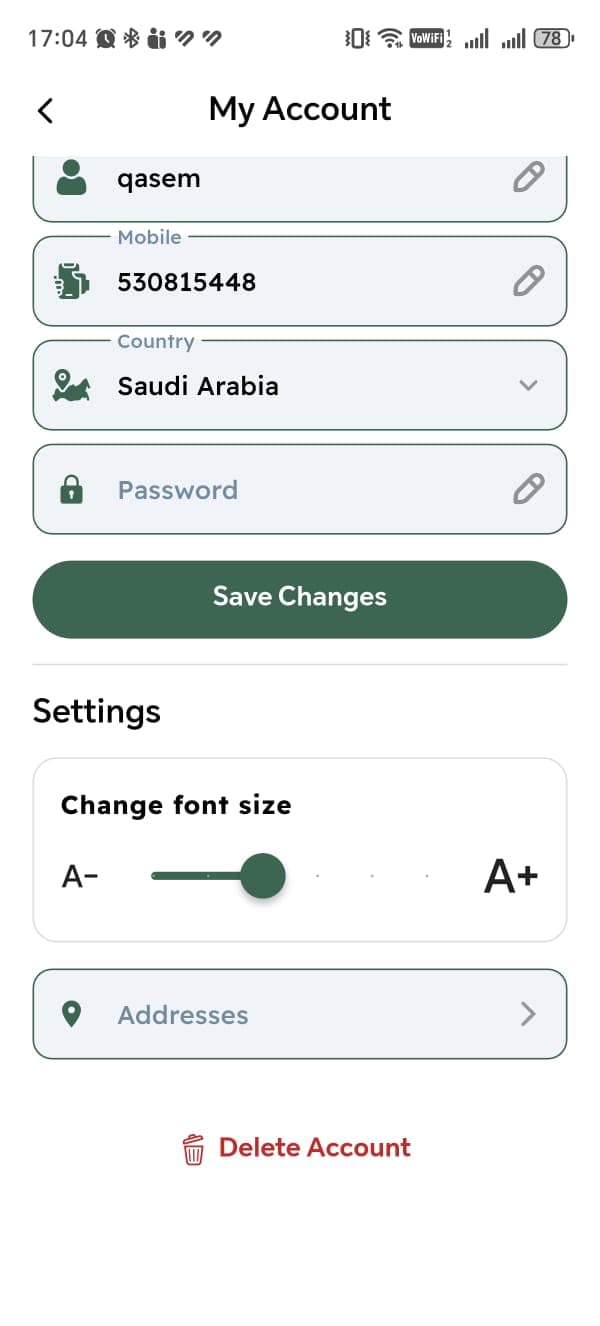
Scroll to the bottom of the account settings page and tap Delete Account.
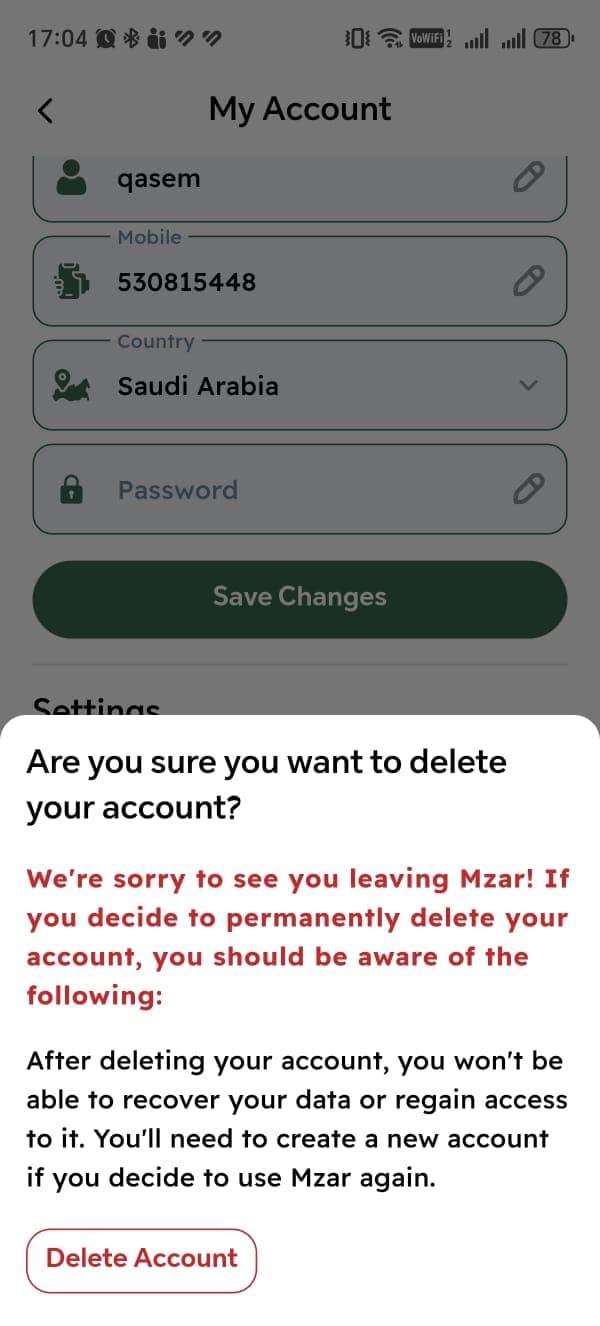
Review the confirmation message, then tap Delete Account to complete the request permanently.
Your account, profile information, and associated personal data will be deleted. Limited records may be retained where required by law, such as financial or fraud-prevention records.
Account deletion is permanent and cannot be undone. You will not be able to recover your data or access the account after confirming deletion.
If you cannot access your account, contact us at [email protected] using the email address associated with your account.